Sage Just Sunsetted BusinessVision: What You Need to Know (And Do) Before December 2026

Sage Just Sunsetted BusinessVision: What You Need to Know (And Do) Before December 2026

Sage has officially announced the BusinessVision end of life date: December 31, 2026. If you’re still running BV, you probably already knew the writing was on the wall. The software hasn’t had a meaningful update in over six years. Payroll tables get refreshed, sure. But actual features? Nothing. Now it’s official.

That deadline sounds like plenty of time. It’s not.

Now Sage has made it official. End of life: December 31, 2026.

That sounds like plenty of time. It’s not.

BusinessVision End of Life: Why 10 Months Isn’t as Long as You Think

Here’s what I’ve seen happen with end-of-life announcements:

  • Companies wait until month 11 to start looking
  • Then discover their data is messier than they thought
  • Then scramble to find a consultant who isn’t already booked
  • Then go live in January with half-trained staff and crossed fingers

You don’t want to be that company.

The real risk isn’t the deadline. It’s everything you don’t know about your own data until you try to move it.

The Data Questions You Need to Answer Now

Before you can migrate anywhere, you need to take an honest look at what you’re working with:

How clean is your customer list? Most companies have years of duplicate entries, outdated contacts, and customers who haven’t ordered since 2015. Do you want to pay to migrate all of that, or clean it up first?

How many inactive warehouses or locations are cluttering your setup? Legacy systems accumulate outdated baggage. Warehouses that closed five years ago. Departments that no longer exist. All of it adds complexity to a migration.

How much history do you actually need? You might have 15 years of transaction history. Do you need all of it in your new system, or can some of it live in an archive? The answer affects your timeline and cost.

What’s documented and what’s tribal knowledge? If the person who set up your BV system retired three years ago, there may be customizations and workarounds that nobody fully understands anymore.

These are questions you want to answer now, while you have options. Not in November, when you’re desperate.

What a Realistic Migration Timeline Looks Like

If you’re thinking “I’ll deal with this in the fall,” here’s what you’re actually signing up for:

Months 1-2: Discovery and cleanup. Assessing your current data, identifying what needs to be cleaned, archived, or restructured. This takes longer than anyone expects.

Months 2-3: System setup and configuration. Building out your new system to match your business processes. Chart of accounts, inventory locations, user permissions, integrations.

Month 4: Data migration and testing. Moving your data over, running parallel processes, catching the inevitable surprises.

Month 5: Training and go-live. Getting your team comfortable before you flip the switch.

Don’t forget your custom reports. Most BusinessVision users have reports that were built specifically for their business. Custom financial statements, inventory reports, sales analyses. Some of those needs may be covered by Spire’s built-in reporting. Others will need to be rebuilt to work with Spire’s data structure. Figuring out which is which, and getting those custom reports written before go-live, is a critical step that often gets overlooked until the last minute.

That’s five months if everything goes smoothly. And nothing ever goes completely smoothly.

If you want to be live on a new system before December 31, 2026, you should be starting conversations now, not in September.

Why Spire Is Worth a Look

I’ve migrated BusinessVision clients to Spire, and there’s a reason it’s a natural fit: Spire has roots in BusinessVision. The logic feels familiar. The learning curve is shorter than jumping to something completely different.

Spire has outlined their perspective on why BV users are making the switch, and it’s worth a read.

But here’s what I’ll add from the implementation side:

  • The transition is smoother than most. Your team isn’t learning a completely foreign system.
  • Modern features become available. Emailing invoices directly, EFT remittances, integrations with shipping and e-commerce platforms. Things that feel like luxuries on BV are standard on Spire.
  • You’re not alone. There are consultants (like me) who have done this migration before and know where the landmines are.

The Bottom Line on BusinessVision End of Life

Whatever path you choose, start the conversation now.

10 months goes fast when you’re also running a business. And the companies that start early get the best consultants, the smoothest timelines, and the least stressful go-lives.

The ones who wait? They get whatever’s left.


The First Recall is Not the Time to Learn You Need Lot Tracking

The First Recall is Not the Time to Learn You Need Lot Tracking

The Moment Everything Changes

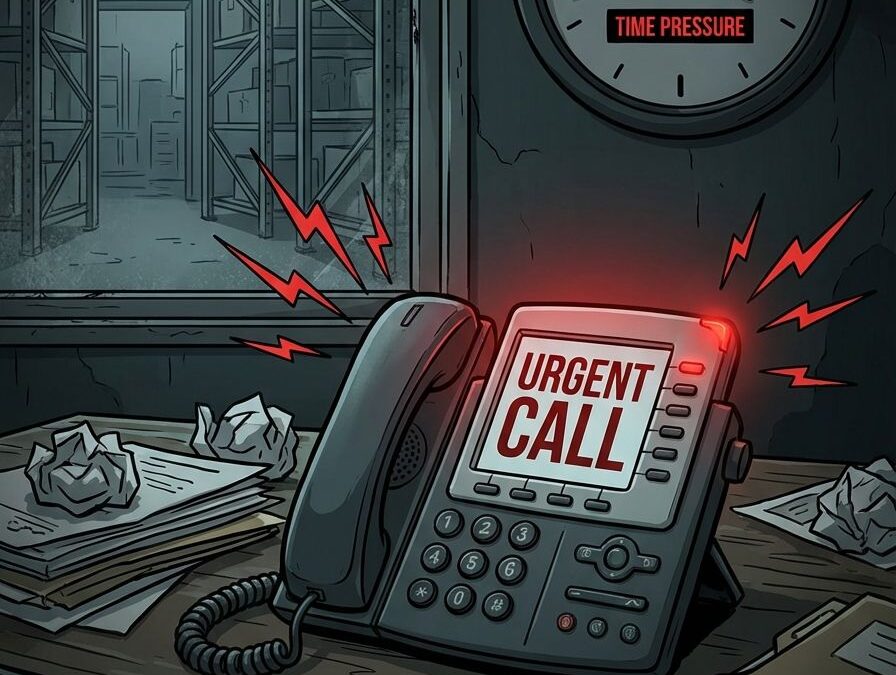
It’s 4:00 PM on a Friday. You’re thinking about the weekend. Then your phone rings.

A supplier just flagged a contaminated batch. By Monday morning, you need a list of every customer who received product from Lot #882.

The FDA maintains a running list of pet food recalls and advisories, and the pattern is clear: companies that can’t trace fast enough face the worst outcomes.

Your first move? Opening three different Excel files. One’s on the shared drive. One’s on someone’s desktop. And one… you’re pretty sure exists, but you’ll need to call the warehouse manager to find it. He’s already left for the day.

In fact, this is the moment most companies discover their lot tracking is broken.

Recalls aren’t just logistical headaches. They create financial, reputational, and regulatory cascades that move fast and leave almost no room for error. Industry estimates put the average direct cost of a food recall at $10 million. And that’s just the direct costs — retrieval, disposal, notifications. It doesn’t include the lawsuits, the lost accounts, or the brand damage that lingers for years.

When traceability is weak, those costs climb even higher. Why? Because you end up recalling more product than necessary. You can’t isolate the problem, so you pull everything that might be affected. That’s expensive. And it’s avoidable.

If your first instinct during a recall is to start hunting through spreadsheets, you’ve already lost the critical early window of control.

What Regulators Actually Expect (And How Fast)

The rules have changed.

FSMA 204  (the FDA’s Food Traceability Final Rule ) requires companies to provide electronic, sortable traceability data within 24 hours of a request. That’s not a soft deadline. That’s not “get back to us when you can.” That’s 24 hours. Including weekends. If FDA calls at 5:00 PM Friday, you have until 5:00 PM Saturday.

Now, FSMA 204 specifically targets high-risk foods. But the expectation it sets ripples outward. Auditors, insurers, and major retailers are already using it as a benchmark for evaluating all food distributors. If you’re distributing pet food, you’re tracking ingredients from multiple suppliers, batches produced on different dates, and products shipped to retailers, vets, and direct-to-consumer channels. The complexity adds up fast.

The burden of proof is on you. When someone asks for traceability data, they expect verifiable, timestamped records that are immediately retrievable. Not “give us a few days to pull it together.” Not “we know where it is, we just need to find it.”

Good intentions don’t satisfy an auditor. Only verifiable, timestamped data does.

Why Spreadsheets Fail Under Recall Pressure

Spreadsheets are familiar. They’re flexible. Everyone knows how to use them.

They’re also fragile under stress.

Studies of operational spreadsheets consistently find that over 90% contain errors. Not complicated spreadsheets built by amateurs. Regular, everyday business spreadsheets. The kind your team uses right now.

In normal operations, a small error might not matter much. But during a recall, a single incorrect lot reference can mean over-recalling safe product or missing affected customers entirely. Both are expensive. One is dangerous.

Manual data entry. Someone types “Lot 882” instead of “Lot 822.” Nobody catches it. Six months later, that typo determines whether a customer gets notified or not.

Multiple versions. The warehouse has one file. Accounting has another. Sales exported their own copy three weeks ago and added some columns. Which one is the truth? Nobody’s entirely sure.

The linking problem. Connecting supplier lots to internal batches to outbound shipments requires hopping between files, cross-referencing dates, and hoping someone kept good notes. Under time pressure, this falls apart fast.

Spreadsheets are fine for storing data. They’re catastrophic for retrieving the right data under pressure.


The Hidden Risk of “We Can Figure It Out If It Happens”

I get it. Recalls feel rare. Theoretical. Something that happens to other companies.

So the plan becomes: “If it happens, we’ll figure it out.”

What matters isn’t likelihood. It’s impact.

A recall doesn’t just test your systems. It tests your leadership, your brand trust, and your operational maturity, all at once, under a deadline, with regulators and customers watching.

And if your traceability depends on one person who knows where the files are and how the process works? You don’t have a system. You have a single point of failure.

I’ve seen this pattern over and over. The warehouse manager who’s been there 15 years and “just knows” where everything is; the office manager who built the spreadsheet system and is the only one who understands the formulas; the IT person who retired two years ago and took all the workarounds with them.

These aren’t bad employees. They’re good employees in a bad structure. And when they’re on vacation, or sick, or gone, the whole thing stops.

For food distributors, this risk compounds quickly. You’re not just tracking finished goods. You’re tracking ingredients from multiple suppliers, production batches across different dates, and shipments going to retailers, foodservice, and maybe direct-to-consumer. Every handoff is a place where traceability can break. The question isn’t whether you’ll ever face a recall. It’s whether you’ll be ready when you do.

What Proper Lot Tracking Actually Looks Like

Effective lot tracking isn’t about better spreadsheets. It’s not about more reports or extra columns or color-coded tabs.

It’s about how work happens every day.

When lot tracking is built into your system properly, traceability isn’t a separate task. It’s just how things work.

Every receive is tied to a lot. When product comes in, you capture the lot number as part of receiving. Not written on a sticky note. Not added to a spreadsheet later. It’s in the system before the product hits the shelf.

Every pick is tied to a lot. When an order ships, the system knows exactly which lots went out the door. Not “probably from that pallet we got last week.” Exactly which lots.

Every transaction is linked.  Supplier lot → internal batch → customer shipment. You can query the unbroken chain. When someone asks “who got Lot 882?” the answer takes minutes, not days.

The difference shows up during a mock recall. Industry best practice is completing a traceability exercise, identifying all affected customers and products, in 2-4 hours. Major retailers like Chewy expect even faster. If your mock recall takes three days of digging through files and calling the warehouse, that’s not a drill. That’s a warning.

The goal isn’t recording information after the fact. It’s systems that enforce traceability as work gets done.

Why This Is a System Decision, Not a Process Fix

You can’t train your way out of structural gaps.

I’ve seen companies try. They create checklists. They add steps. They tell the warehouse team to “be more careful” about writing down lot numbers. They hold meetings about the importance of data accuracy.

And for a few weeks, it works. Then someone gets busy. A step gets skipped. The checklist gets ignored because there’s a truck waiting. And you’re right back where you started.

The problem is rarely the software itself. It’s the workflows built around it. I dig into this more in Stop Blaming the System: The Messy Truth About Bad Workflows.

It’s not the people either. It’s that manual systems depend on perfect human behavior, every time, under pressure. That’s not realistic. Well-designed systems act as gatekeepers. If the lot number is missing, the receive can’t be completed. If the pick isn’t tied to a lot, the shipment can’t go out. The system doesn’t allow the gap to exist in the first place.

This is the difference between “we have a process” and “we have a system.”

Processes depend on people remembering. Systems enforce the rules automatically.

The manual approach scales by adding people: more checkers, more oversight, more meetings about why things fell through the cracks.

Automation scales by adding consistency. The hundredth transaction is tracked exactly like the first.

When a recall hits, you don’t want to be hoping everyone followed the process. You want to know the system made it impossible not to.

The Cost of Waiting Is Usually Invisible Until It Isn’t

Of course, delaying traceability improvements often feels reasonable. The system works. Nobody’s complained lately. There are bigger fires to fight.

But then something shifts, and suddenly the cost becomes very visible.

Retailer audits.  Major retailers and chains like Chewy, Petco, and large grocery buyers increasingly audit supplier traceability before signing or renewing contracts. Excel-based processes raise red flags. That doesn’t mean an automatic rejection, but it does mean harder conversations, more scrutiny, and sometimes lost opportunities you never even hear about.

Insurance Scrutiny.  Product recall and liability insurers factor traceability controls into their assessments. Weak documentation can mean higher premiums or, in some cases, difficulty getting coverage at all.

The question you can’t answer fast enough. There are few harder moments than telling a regulator or a major customer that the data exists, you just need more time to find it. That’s not a confidence-building statement.

The costs of waiting don’t show up on a balance sheet. They show up in the account you didn’t win, the audit that went sideways, and the scramble that could have been avoided.

A Better Time to Learn This Lesson

The best time to evaluate your traceability readiness is when:

  • No recall is active.
  • No deadline is ticking.
  • No one is watching.

Run a mock recall. Pick a random ingredient lot from three to six months ago. See how long it takes to trace it forward to finished products and outward to customers. Document where you got stuck, what took longest, and what required a phone call instead of a report.

If you can do it in under four hours with confidence in the data, then you’re in good shape. If it takes days, or depends on one person who “knows where everything is,” that’s your answer.

The worst time to learn your lot tracking is broken is during your first real recall.

But What About the Cost of Upgrading?

Fair question.

Implementing proper lot tracking typically costs $15,000 to $30,000 in year one, depending on the complexity of your operation and how much cleanup is needed.

That feels substantial until you compare it to the alternatives:

The average food recall costs $10 million or more in direct expenses alone.

Over-recalling even one week’s worth of product because you couldn’t isolate the affected lots can exceed your entire implementation cost.

Retailer and insurance requirements increasingly treat traceability as table stakes, not a nice-to-have.

The real question isn’t whether you can afford to upgrade. It’s whether you can afford the risk of not upgrading.

Let’s Talk About Your Recall Readiness

Are you compliant on paper, or actually ready to respond within 24 hours?

If you’re not sure, let’s walk through your current workflows and see where manual processes might be creating hidden risk. No pressure, no pitch. Just an honest look at where you stand.


 

How to Talk to Your Team About Software changes Without the Eye Rolls

How to Talk to Your Team About Software changes Without the Eye Rolls

I once got a call from a client whose warehouse manager pulled them aside and said, “If we’re switching systems, I’m out.” This was their best person. Someone who’d been there 15 years. Someone who knew every SKU, every quirk of the operation, every workaround that kept things running.

They hadn’t even picked the software yet.

Here’s what I’ve learned after years of helping companies through ERP implementations: the technology is actually the easy part. It’s the people part that makes or breaks it.

The Real Problem Nobody Wants to Say Out Loud

Your team isn’t being difficult. They’re scared.

Scared they’ll look stupid learning something new. Scared their hard-won expertise won’t matter anymore. Scared about whether their job still exists in six months. Scared that management is going to make their lives harder and call it progress.

And honestly? They’ve probably earned that fear. Because how many times have they been told “this will make things easier,” only to spend the next three months cleaning up the mess?

Start the Conversation Before You Mention Software

I tell every client the same thing: don’t lead with the solution. Lead with the problem.

Sit down with your team and ask: what’s driving you crazy right now? What takes way longer than it should? What keeps you here late? What makes you want to throw your keyboard across the room?

Let them tell you what’s broken. Let them complain. Write it all down.

Because here’s what happens: when you eventually say, “I think we need better software,” they’ll remember that you asked first. That you listened. That you’re trying to solve their problems, not create new ones.

Make Them Part of the Decision

You know what kills buy-in faster than anything? When people find out you already signed the contract, they just have to deal with it.

I’ve seen this work best when key users are involved in demos from the start. Let your warehouse lead ask the hard questions about receiving workflows. Let your customer service person poke holes in the order entry process. Let your inventory manager grill the vendor about lot tracking.

Two things happen when you do this: First, you catch problems before you’re locked in. Second, your team starts to feel ownership. It stops being “management’s new system” and starts being “our new system.”

Say the Scary Stuff Out Loud

Don’t dance around it. Your team is already thinking about the hard questions. In my experience, addressing them directly builds trust faster than anything else.

“Will my job go away?” Be honest. If roles are changing, say so. If you’re eliminating manual data entry but need those people doing quality control instead, tell them that. If someone’s job really is at risk, they deserve to know sooner rather than later.

“I’m terrible with computers.” I hear this all the time, and it’s legitimate. Acknowledge that learning new systems is hard. Talk about training. Talk about support. Talk about expecting a messy few months, and that’s okay.

“We’re going to lose everything we’ve built.” This is where I remind people that data migration is part of the process. And more importantly, their knowledge of how things actually work is precisely what you need to set up the new system right.

Turn Skeptics Into Champions

Every team has early adopters and skeptics. You need both.

Your early adopters will figure out the workarounds and help everyone else. I always tell clients to empower these people. Give them extra training. Let them be the heroes.

Your skeptics will find every problem before it becomes a disaster. Listen to them. When they say “but what about when we have to do X,” that’s not resistance, that’s expertise. Write it down. Make sure the new system can handle it.

What to Actually Say

I’ve watched a lot of these conversations go sideways. Here’s what I’ve seen work better:

Instead of: “This new system is going to be so much better.” Try: “I know change is hard. This is going to be messy for a while. But here’s why I think it’s worth it.”

Instead of: “You’ll love it once you get used to it.” Try: “I need your help making sure this actually works for how we operate. You know this business better than any software vendor does.”

Instead of: “We have to do this, corporate decided.” Try: “Here’s what’s breaking. Here’s what we’re trying to fix. What am I missing?”

The Truth About Implementation

The best software in the world fails if your people aren’t on board.

I’ve seen implementations with perfect technical execution fall apart because nobody thought about the people side. And I’ve seen messy, imperfect rollouts succeed because the team was invested from day one.

Implementation success isn’t about hitting your go-live date. It’s about whether your team is still there six months later, actually using the system, and not secretly running everything through spreadsheets when you’re not looking.

Technology doesn’t run your business. People do. Treat them like it.

The High Cost of Disparate Systems: Why Your Accounting and Inventory Shouldn’t Live in Silos

The High Cost of Disparate Systems: Why Your Accounting and Inventory Shouldn’t Live in Silos

When distributors first embark on their journey, it’s common to start with separate systems for accounting, inventory, and order management. It seems like a sensible approach; after all, why complicate things? But as your business grows, you might notice that those once-cozy silos begin to feel more like prison walls. What worked seamlessly in the beginning can quickly turn into a tangled web of inefficiencies.

As cracks start to appear in your operations, hidden costs begin to surface … inefficiencies creep in, errors multiply and missed opportunities lurk around every corner. The reality is that disparate systems may have served you well initially, but they can turn into roadblocks as your business scales. It’s time to consider how integrating these systems could not only streamline your processes but also unlock new potential for growth. Embracing an integrated approach isn’t just smart; it’s essential for thriving in today’s competitive landscape.

Where the Costs Show Up

Duplicate Data Entry

When it comes to managing data, duplicate data entry can feel like a relentless game of whack-a-mole. You think you’ve squashed one issue, only to find another popping up somewhere else. It’s not just an annoyance; it’s a financial drain that can sneak up on even the most organized businesses.

Let’s break this down: when the same information is keyed into multiple systems, you’re not just doubling your workload, you’re increasing the risk of errors in crucial areas like price, quantity, and customer details. Imagine sending out an invoice with the wrong amount because someone mistyped a number while inputting data for the third time that day. Ouch!

And let’s talk about time, because wasted minutes add up quickly. Each instance of re-entering data is time that could have been spent on more valuable tasks, like strategizing or connecting with customers. Before you know it, those minutes turn into hours and then into days lost in a sea of repetitive tasks.

So, if you’re still wrestling with duplicate entries and their fallout, it might be time to explore smarter solutions that streamline your processes and free up your team for what they do best—growing your business.

Reporting Gaps

When it comes to managing your business finances, the devil is in the details. You might have a clear view of your revenue through accounting and a solid grasp of your inventory levels, but if those two worlds aren’t communicating, you’re left with a fragmented picture that can lead to costly missteps.

Imagine trying to navigate through a maze with only half the map; that’s what it feels like when your reports are misaligned. Poor forecasting becomes an unfortunate reality as you struggle to predict trends or make informed decisions about profitability. This disconnect can lead to overstocking, where products sit on shelves longer than they should, or understocking, where you miss out on sales opportunities because you don’t have enough product on hand.

Both scenarios translate into lost sales or wasted capital, and neither is a fun place for any business owner to be. By ensuring that all aspects of your reporting are aligned and comprehensive, you create a complete view of your operations that empowers better decision-making and ultimately enhances profitability. So let’s bridge those gaps; after all, no one wants to lose money because their reports are playing hide-and-seek!

Slow Decision-Making

When it comes to decision-making in a business, the costs can often hide in plain sight, especially when managers pull spreadsheets manually. It may seem like a harmless task…after all, how hard can it be to gather some numbers? But let’s face it: this practice is like trying to fill a bathtub with a garden hose. By the time those figures are compiled, they’re often outdated and irrelevant.

Imagine your team trying to respond swiftly to market changes or customer needs while sifting through data that feels more like ancient history than real-time insights. It’s frustrating, isn’t it? This slow decision-making process not only hampers responsiveness but also drains resources and morale.

Investing in streamlined data management tools can transform this scenario from one of frustration to one of efficiency. By automating these processes, you free up your managers’ time and energy for what truly matters, making informed decisions that propel your business forward. So let’s not let outdated spreadsheets dictate our future; instead, let’s embrace smarter solutions that keep us agile and ready for anything that comes our way!

Customer Experience Issues

When it comes to customer experience, the devil is often lurking in the details, and trust me, those details can get pricey. Picture this: a customer excitedly places an order, only to find out later that their item is on backorder. Or worse yet, they receive a mismatched invoice that leaves them scratching their heads. These hiccups stem from a lack of real-time visibility into inventory, a problem that can snowball into significant costs for your business.

Backorders and delays are not just minor inconveniences; they create frustrated customers who feel let down by your brand. And let’s face it, once trust is lost, regaining it can feel like trying to catch smoke with bare hands. Every unhappy customer represents not just a single lost sale but potentially many future ones as well.

So how do you tackle these issues? Investing in systems that provide real-time inventory insights isn’t just smart; it’s essential for maintaining customer satisfaction and loyalty. After all, keeping your customers happy today ensures they’ll come back tomorrow, and we all know repeat business is where the real profit lies.

Why Businesses Stick with Disparate Systems

Let’s face it: the thought of revamping your business systems can feel like staring down a rollercoaster you never wanted to ride. Many businesses cling to disparate systems for a variety of reasons, and while some may seem rational at first glance, they often mask deeper fears.

First off, legacy investments can feel “too big to abandon.” After all, those hefty financial commitments weigh heavily on decision-makers. It’s easy to convince ourselves that the cost of change outweighs the benefits when we’ve already sunk so much into outdated technology.

Then there’s the comfort factor. Staff members often grow attached to old workflows, they know them inside and out, even if they are as antiquated as a rotary phone in a smartphone world. Change is daunting; it requires learning new processes and possibly facing a steep learning curve.

Moreover, replacing one system feels safer than tackling both at once. The idea of juggling multiple transitions is enough to send anyone into a tailspin. It’s like trying to change two tires on a moving car…no thank you!

Lastly, let’s not underestimate the emotional weight of change itself. The fear that comes with overhauling established systems can be overwhelming; it feels risky in ways that go beyond spreadsheets and software compatibility.

In this landscape of trepidation lies an opportunity for growth…if only we could muster the courage to take that leap together!

The Better Way: One Platform for Inventory + Accounting

Imagine a world where your accounting and inventory systems work in perfect harmony, like a well-rehearsed duet. That’s the magic of having one platform to manage it all. Integrated workflows mean real-time updates across accounting, inventory, and sales—no more waiting for data to trickle in. You’ll have the information you need at your fingertips, allowing you to make informed decisions faster than ever.

Let’s talk about redundancy, or rather, how to eliminate it entirely. With this unified approach, data is entered once and used everywhere. No more tedious double entries or the frustration of mismatched numbers. You can finally say goodbye to those late-night panic sessions spent sifting through spreadsheets.

Accurate reporting is another game-changer here. You’ll gain complete visibility into costs, margins, and orders—all in one place. This clarity empowers you to spot trends and make strategic moves without second-guessing yourself.

And let’s not forget about scalability! As your business grows (and we know it will), expanding your operations doesn’t have to feel like assembling a complex puzzle with missing pieces. This system allows for easy expansion without the headache of bolting on more systems that just complicate things further.

So why settle for juggling multiple platforms when you can streamline everything into one cohesive solution? It’s time to embrace a better way, your future self will thank you!

Real-World Example

Let’s take a moment to look at a real-world example that perfectly illustrates the transformative power of an integrated ERP system. One of our clients was juggling separate accounting and inventory systems, which felt like trying to balance on a tightrope while juggling flaming torches. They spent countless hours reconciling reports, rekeying orders, and fixing discrepancies that seemed to sprout up like weeds in a well-tended garden.

After some thoughtful consideration (and perhaps a few late-night cups of coffee), they made the leap to an integrated ERP solution. The result? A remarkable shift in their operational landscape. Gone were the days of duplicate entries and the endless back-and-forth between systems. Instead, they gained real-time visibility into their operations, which is akin to turning on all the lights in a dark room.

Now, they can accurately assess profitability by product line with ease…no more guessing games or frantic calculations needed. This newfound clarity has freed up precious time for them to focus on what truly matters: quoting new projects and enhancing customer service. It’s amazing how one decision can turn chaos into order and allow businesses to thrive rather than merely survive.

Conclusion

If systems aren’t integrated, they’re costing you more than you think. It’s like trying to run a marathon in mismatched shoes, sure, you might make it to the finish line, but at what cost? When your accounting and inventory systems operate in silos, you’re not just losing time; you’re also losing money and clarity.

That’s where AGS steps in. We specialize in unifying accounting and inventory within Spire ERP, seamlessly bringing together the pieces of your business puzzle. Imagine the outcome: clarity that cuts through confusion, efficiency that streamlines operations, and scalability that allows you to grow without the growing pains.

So why continue to let hidden costs drain your resources? Schedule a 15-minute consultation to discuss your current systems. Your bottom line will thank you.

Stop Blaming the System:  The Messy Truth About Bad Workflows

Stop Blaming the System: The Messy Truth About Bad Workflows

Many small and medium-sized businesses find themselves in a frustrating position, convinced that their ERP system has failed them. However, what if I told you that the real culprit often lies not within the software itself, but in the unchanged, undocumented, or outdated workflows that were stubbornly carried over from the past? It’s a bit like trying to fit a square peg into a round hole—no matter how hard you push, it just won’t work.

Statistics show that 50-75% of ERP projects underperform or outright fail. Take Hershey, Lidl, and Target Canada as prime examples; they all pointed fingers at their ERPs when the truth was far more mundane: poor planning and an unwillingness to adapt. Instead of blaming the tools meant to help them streamline operations, perhaps it’s time for these businesses—and yours—to take a closer look at their internal processes. After all, even the best technology can’t compensate for workflows stuck in yesterday’s mindset. Embracing change might just be your ticket to unlocking your ERP’s true potential.

The Real Problem: Workflow, Not the System

When it comes to the challenges businesses face, it’s easy to point fingers at outdated systems or technology. But let’s get real for a moment: the real problem often lies in your workflow, not just the tools you’re using. If you find yourself relying on manual workarounds, reverting to spreadsheets like they’re a comforting old friend, or witnessing glaring inconsistencies between departments, these are clear signs that your workflow is in desperate need of an overhaul.

Now, I get it—automation seems like an enticing solution. Who wouldn’t want to speed things up? However, automating a broken process is akin to putting a shiny new coat of paint on a crumbling wall. It might look good for a second, but underneath that facade lies chaos waiting to unfold even faster than before. Instead of solving problems, you’re just speeding up failure and creating more headaches down the line.

Take a step back and assess your workflows before diving headfirst into automation. Fixing these underlying issues will not only streamline processes but also enhance collaboration across teams. After all, no one wants their shiny new system to become another source of frustration!

One question that I like to ask my clients (or prospects) is why they are doing things a certain way.  If the answer is ‘because that’s they way we’ve always done it’, and no one in the company seems to know why it’s done that way, that’s a red flag for me, re their workflows.  I want to dig deeper, and find out what the end result is that they want to achieve with their system and then work backwards from there to review their existing workflows.

The Common Trap: New Tech, Same Old Problems

When companies invest in new software, it’s easy to slip into the mindset that this shiny new tool will magically resolve all existing issues. Unfortunately, this is often where the trap lies: expecting new technology to fix everything while unwittingly dragging along those pesky bad habits from old workflows.

Take ERP implementations, for instance. Many organizations dive headfirst into these projects without first mapping or standardizing their business processes. It’s like trying to fit a square peg in a round hole—over-customization becomes the name of the game as teams attempt to contort the system to accommodate outdated practices. This can lead to chaos, confusion, and ultimately frustration when employees find themselves wrestling with a system that was never designed for their needs.

And let’s not forget about “spreadsheet addiction.” Just because you’ve implemented an ERP doesn’t mean your team will suddenly abandon their beloved spreadsheets. In fact, many find themselves relying on them even more post-implementation—a classic case of old habits dying hard. So before you roll out that new software thinking it’ll be a panacea for all your problems, take a moment to reflect: Are you ready to leave those bad habits behind? If not, you might just end up with new tech but the same old headaches.

I often see heavy reliance on Excel, and I believe it stems from two factors … users want to stay in their comfort zones, and users fear learning  the new system

Why Workflow Mapping Comes First

When it comes to implementing new systems or processes, skipping the step of workflow mapping is like trying to navigate a new city without a map. You might get somewhere eventually, but chances are you’ll end up lost, frustrated, and possibly in a part of town you didn’t intend to visit. Without workflow mapping, you configure blindly or based on assumptions that may not hold water.

Taking the time to map out both your current state and future state workflows before implementation is essential. This process doesn’t just serve as a guide; it uncovers bottlenecks and missed steps that could derail your efforts down the line. Think of it as a treasure hunt where the prize is efficiency and clarity.

Involving users in validation during this mapping process can make all the difference. They bring invaluable insights about daily operations that you may not have considered. Plus, having their input fosters buy-in—because who doesn’t want their voice heard when changes are on the horizon? So let’s embrace workflow mapping as our trusty compass—it will lead us toward smoother transitions and successful outcomes!

How We Do Things Differently

At AGS Enterprises, we want to know what your current processes look like, what work-arounds you’re currently doing in your existing system, and most importantly why you need these processes.  We like to start with the end in mind, then figure out the best way to get there.  We want to know where your pain points are before we start, so we can address those, rather than just showing off the shiny objects.

If we’re converting your old data, we want to work with you to clean it up first.  GIGO (Garbage In, Garbage Out) is real, and we ant to avoid bringing that to your new system.

We also look at your existing forms and see if there is crucial data on them that doesn’t exist in the new system’s forms.  I once had a client tell me that he was happy with this existing invoices from the legacy system, and if new system could produce the same invoices, he’d be happy.  I took a look, and realized that the substance of the forms was very similar, but the formatting was quite different.  I let him know that while I  could give him the same forms that he already has, the time and effort to match all the shading, might be better spent on his custom reports.  I asked him to look at the canned reports from Spire Systems and then mark those up with any changes he wanted.  He agreed with me, it was more efficient to modernize the look of invoices with the Spire format (compared to the legacy one) and to tweak it to add in some custom fields.

Your ERP Is a Tool. It’s Only as Good as Your Process

When it comes to your ERP system, remember this simple truth: it’s a tool, and like any tool, its effectiveness hinges on how you wield it. Think of it as a fancy Swiss Army knife—it can do wonders in the right hands but can easily become an expensive paperweight if you’re not using it properly.

If you want different results from your business operations, you need to rethink your workflows. That means taking a hard look at what you’re currently doing and asking yourself if it’s truly serving your goals or just adding unnecessary complexity. An ERP can unlock immense value for your organization, but only if the foundation is solid.

So before diving headfirst into implementation or upgrades, take a step back and evaluate your processes. Streamlining workflows and ensuring they align with your objectives will set the stage for success. After all, an ERP is only as good as the processes that support it—and trust me, no amount of software wizardry can compensate for outdated or inefficient workflows. Embrace change where needed, and watch as that shiny new system transforms into something truly valuable for your business.

Curious what outdated processes might be costing you? I’d be happy to walk through your current workflows and highlight the gaps.