

When Your ERP Is Too Big for Your Business

When Your ERP Is Too Big for Your Business

I work with mid-sized distributors and manufacturers. Most of my clients come to me because they've hit the ceiling on older systems. DOS-based software. Legacy platforms that served them well for years but can't keep up anymore. I've helped companies move off systems like ACCPAC Plus, Dac Easy, and Business Vision onto modern platforms like Spire or Adagio.

But there's another group I keep hearing about. Companies stuck on the other end of the spectrum.

They made a big ERP investment a few years back. Enterprise-grade software. The kind of system you see in case studies and trade show booths. On paper, it should be running the whole business.

But when you look at how things actually work day to day, the answer is almost always the same: spreadsheets.

Inventory tracking in Excel. Pricing overrides in a shared file someone built years ago. Commission calculations that live outside the system because "it was easier." A report called something like "REAL margins" that someone updates manually every week because the ERP version never quite matched reality.

The system isn't broken. It's just not being used. Not the way it was sold, anyway.

I haven't worked with many of these companies yet. But I know this pattern is real. I see it in industry forums, in user reviews, in the questions people ask when they're quietly wondering if they made the wrong choice. And I know I can help.

That's what I want to talk about today.

Signs the fit isn't right

So what does "too big" actually look like in practice? It's rarely obvious. The system works. Invoices go out. Orders get processed. But underneath, there are signs that the fit isn't right.

Simple changes become projects.
You want to add a field. Tweak a report. Change how a workflow triggers. In a right-sized system, that's a Tuesday afternoon. In an oversized ERP, it's a ticket to IT or a consultant, and it takes weeks. One user on a review site described waiting months for basic changes, only to be told it would require "custom development" at additional cost.

You're paying for modules nobody opens.
Look at your invoice. Count the modules. Now ask your team which ones they actually use. I've seen companies paying for advanced forecasting, project management, multi-entity consolidation. Features that sounded great in the demo but never got configured. The invoice stays the same. The value doesn't.

Reporting is powerful on paper.
The system has dashboards. It has saved searches. It has drill-down capabilities. But when month-end comes, someone still pulls the data into Excel. Why? Because it's faster. Because the built-in reports don't quite match how the business actually works. Because nobody wants to wait for a "saved search that takes minutes to load," as one frustrated user put it.

The warehouse and customer service teams work around it.
They're not trying to be difficult. They just need to get things done. So they track orders in a shared spreadsheet. They email updates instead of logging them. They keep a side system for the stuff that's "just easier" outside the ERP. The system becomes a system of record that nobody fully trusts.

Everyone's afraid of breaking something.
This is the quiet one. The system feels rigid. Complex. Like it was built for a company with a dedicated IT team and a full-time administrator. People don't experiment. They don't customize. They just work around it. Because touching anything feels risky.

None of this means the system is bad. These are powerful platforms. But power without fit creates friction. And friction shows up in spreadsheets, workarounds, and teams that quietly stop trusting the system they're paying for.

How companies end up here

Nobody sets out to buy the wrong system. These decisions make sense at the time. It's only later, when the dust settles, that the mismatch becomes clear.

Buying for a future that never arrived.
The company was growing fast. New locations were on the horizon. Maybe a second warehouse, maybe expansion into new markets. The system was chosen to handle all of that. But the growth slowed, or shifted direction, or just took longer than expected. Now the company is paying for infrastructure built for a version of itself that doesn't exist yet.

Following someone else's template.
A parent company said "we use System X everywhere." A PE firm required it as part of the acquisition. A trusted advisor recommended it because it worked well for a much larger client. The system got chosen based on someone else's needs, not the actual complexity of the business.

Getting sold on demos and dashboards.
The sales presentation was impressive. Real-time visibility. Powerful analytics. Seamless workflows. But demos show what's possible, not what's practical. The day-to-day reality of how the warehouse actually operates, how customer service handles exceptions, how the finance team closes the books... that's harder to see in a 90-minute demo.

Underestimating what it takes to run a big system well.
Large ERPs aren't just software. They're ecosystems. They need administrators, ongoing configuration, someone who understands the logic well enough to troubleshoot when things break. Mid-sized companies often don't have that internal capacity. So the system gets implemented, the consultants leave, and the team is left managing something they were never staffed to own.

Here's the thing: large, complex ERPs aren't automatically wrong. They're built for companies that need that level of power and have the resources to manage it. The problem isn't the software. It's the fit. And when the fit is off, even a great system becomes a burden.

What "right-sized ERP" looks like in practice

So if oversized is the problem, what does right-sized actually look like?

It's not about finding the smallest system. It's about finding the one that fits how your business actually runs today, with room to grow into tomorrow.

The system doesn't fight you on everyday tasks.
Your team can navigate it without fear. Basic operations don't require workarounds or side systems. The people using it daily feel like they're working with the software, not around it.

Inventory, orders, and financials live in one place.
Not scattered across three platforms and five spreadsheets. When someone asks "what's our margin on this order?" or "how much of this SKU is in the warehouse?", the answer is in the system. Not in a file someone updates manually every Monday.

Reporting works the way your business works.
This is where the right setup matters. A right-sized system gives you options: built-in reports for the basics, custom reports for the stuff that's specific to your operation, and tools that connect your ERP data to Excel or dashboards without hours of monthly formatting.

I set clients up with reporting that actually fits. Sometimes that's custom Crystal Reports inside the ERP. Sometimes it's Breeze GL, an add-on that pulls accounting data directly into Excel. You design the report once, and after that, printing next month's version is just a matter of changing the date. Same idea with Power BI dashboards. Slicers, filters, the ability to look at data however you want, whenever you want.

The goal isn't to make you dependent on a consultant for every month-end. It's to build the reporting foundation right from the start, so the system gives you what you need without constant manual effort. And when something changes, like a new product line or a shift in how you want to see the numbers, that's when you call me.

The system can grow with you.
A right-sized ERP handles where you are now and where you're realistically headed in the next five to ten years. It doesn't feel like it was built for a 500-person enterprise. But it also won't hit a ceiling the moment you add a second location or a new product line.

This is the space I work in. Tools that sit in that middle ground: more control than entry-level software, less complexity than the big enterprise names. Platforms like Spire, where a mid-sized distributor or manufacturer can run their whole operation, with reporting set up to actually serve the business, not just check a box.

Right-sized doesn't mean less capable. It means capability that matches reality, with room to evolve when you need it.

How we help clients figure out if their ERP is oversize or just mis-configured

Not every frustration means you need a new system. Sometimes the problem is the software. Sometimes it's the setup. Part of my job is helping companies figure out which one they're dealing with.

When I talk to a prospect in this situation, I'm not starting with "here's what you should buy." I'm starting with questions.

How many locations, and who's actually in the system every day?
Not headcount on the org chart. Real users. The people logging in, entering orders, checking inventory, running reports. That tells me whether the system's complexity matches the operation's actual size.

How much of the business is still running in spreadsheets or side systems?
If the ERP is supposed to handle inventory but the warehouse manager keeps a separate Excel file "just to be safe," that's a sign. Either the system isn't set up right, or it's not the right fit. Both are worth understanding.

Which reports do you rely on, and how hard are they to get?
If month-end means exporting data and rebuilding reports manually every time, that's friction. But is it because the system can't do it, or because nobody ever configured it properly? Sometimes the reporting tools are there. They just need to be set up.

Are you using a small fraction of what you're paying for?
Modules you've never opened. Features that sounded great in the demo but never got implemented. If half the invoice is for stuff you don't touch, that's worth examining. It might mean you're on the wrong system. Or it might mean there's value sitting untapped.

Are you paying enterprise fees for a mid-market operation?
This one catches people off guard. A company doing $5M or $15M in revenue shouldn't be paying six figures a year in software assurance or maintenance fees. But it happens. Companies sign up for a big-name system, and the annual cost to keep it running, supported, and updated is wildly out of proportion to the business size. That's not a configuration problem. That's a fit problem. And it's worth knowing what you're actually spending compared to what right-sized alternatives would cost.

Here's the honest answer I give sometimes: you might not need to switch. If the core system is sound and the pain is really about configuration, training, or reporting, fixing those things is faster and cheaper than starting over. I'd rather help someone get more out of what they have than sell them something new they don't need.

But if the system truly doesn't fit, if the complexity is baked in and the business has to bend itself around the software instead of the other way around, or if you're paying enterprise prices for mid-market needs, then it's worth looking at what else is out there.

The goal of that first conversation is to figure out which situation you're in.

Where to start

If any of this sounds familiar, you're not alone. And you're not stuck.

Maybe you're paying enterprise-level fees and still feel like your team is fighting the system. Maybe you're wondering if the problem is the software or just how it was set up. Maybe you've been quietly Googling alternatives but aren't sure where to start.

That's exactly the kind of conversation I have with companies all the time.

We can spend 45 minutes walking through what you're using and what you're not. Looking at where the friction is. Figuring out whether you need a different system or a better way of using the one you have. Just an honest look at where things stand.

If you're starting to explore options, I wrote about the questions worth asking before you commit to any ERP vendor]. It covers implementation timelines, true cost of ownership, and the things most salespeople won't bring up. Worth a read before you start shopping.

When you're ready to talk, reach out. I'd be glad to help you figure out what right-sized actually looks like for your business.

~Audrey Quick, Founder of AGS Enterprises Consulting LLC

Audrey has spent 35+ years helping businesses manage ERP implementations and accounting software transitions.  If you're evaluating your options, we can book a free 15-minute call

Sage Just Sunsetted BusinessVision: What You Need to Know (And Do) Before December 2026

Sage Just Sunsetted BusinessVision: What You Need to Know (And Do) Before December 2026

Sage has officially announced the BusinessVision end of life date: December 31, 2026. If you're still running BV, you probably already knew the writing was on the wall. The software hasn't had a meaningful update in over six years. Payroll tables get refreshed, sure. But actual features? Nothing. Now it's official.

That deadline sounds like plenty of time. It's not.

Now Sage has made it official. End of life: December 31, 2026.

That sounds like plenty of time. It's not.

BusinessVision End of Life: Why 10 Months Isn't as Long as You Think

Here's what I've seen happen with end-of-life announcements:

  • Companies wait until month 11 to start looking
  • Then discover their data is messier than they thought
  • Then scramble to find a consultant who isn't already booked
  • Then go live in January with half-trained staff and crossed fingers

You don't want to be that company.

The real risk isn't the deadline. It's everything you don't know about your own data until you try to move it.

The Data Questions You Need to Answer Now

Before you can migrate anywhere, you need to take an honest look at what you're working with:

How clean is your customer list? Most companies have years of duplicate entries, outdated contacts, and customers who haven't ordered since 2015. Do you want to pay to migrate all of that, or clean it up first?

How many inactive warehouses or locations are cluttering your setup? Legacy systems accumulate outdated baggage. Warehouses that closed five years ago. Departments that no longer exist. All of it adds complexity to a migration.

How much history do you actually need? You might have 15 years of transaction history. Do you need all of it in your new system, or can some of it live in an archive? The answer affects your timeline and cost.

What's documented and what's tribal knowledge? If the person who set up your BV system retired three years ago, there may be customizations and workarounds that nobody fully understands anymore.

These are questions you want to answer now, while you have options. Not in November, when you're desperate.

What a Realistic Migration Timeline Looks Like

If you're thinking "I'll deal with this in the fall," here's what you're actually signing up for:

Months 1-2: Discovery and cleanup. Assessing your current data, identifying what needs to be cleaned, archived, or restructured. This takes longer than anyone expects.

Months 2-3: System setup and configuration. Building out your new system to match your business processes. Chart of accounts, inventory locations, user permissions, integrations.

Month 4: Data migration and testing. Moving your data over, running parallel processes, catching the inevitable surprises.

Month 5: Training and go-live. Getting your team comfortable before you flip the switch.

Don't forget your custom reports. Most BusinessVision users have reports that were built specifically for their business. Custom financial statements, inventory reports, sales analyses. Some of those needs may be covered by Spire's built-in reporting. Others will need to be rebuilt to work with Spire's data structure. Figuring out which is which, and getting those custom reports written before go-live, is a critical step that often gets overlooked until the last minute.

That's five months if everything goes smoothly. And nothing ever goes completely smoothly.

If you want to be live on a new system before December 31, 2026, you should be starting conversations now, not in September.

Why Spire Is Worth a Look

I've migrated BusinessVision clients to Spire, and there's a reason it's a natural fit: Spire has roots in BusinessVision. The logic feels familiar. The learning curve is shorter than jumping to something completely different.

Spire has outlined their perspective on why BV users are making the switch, and it's worth a read.

But here's what I'll add from the implementation side:

  • The transition is smoother than most. Your team isn't learning a completely foreign system.
  • Modern features become available. Emailing invoices directly, EFT remittances, integrations with shipping and e-commerce platforms. Things that feel like luxuries on BV are standard on Spire.
  • You're not alone. There are consultants (like me) who have done this migration before and know where the landmines are.

The Bottom Line on BusinessVision End of Life

Whatever path you choose, start the conversation now.

10 months goes fast when you're also running a business. And the companies that start early get the best consultants, the smoothest timelines, and the least stressful go-lives.

The ones who wait? They get whatever's left.


~Audrey Quick, Founder of AGS Enterprises Consulting LLC

Audrey has spent 35+ years helping businesses manage ERP implementations and accounting software transitions.  If you're evaluating your options, we can book a free 15-minute call 
The First Recall is Not the Time to Learn You Need Lot Tracking

The First Recall is Not the Time to Learn You Need Lot Tracking

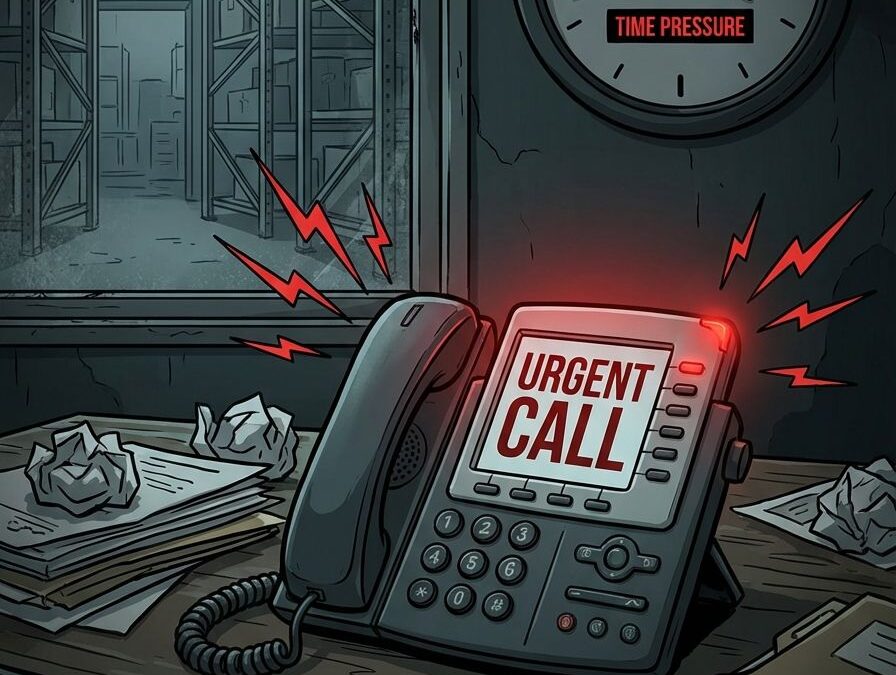
The Moment Everything Changes

It's 4:00 PM on a Friday. You're thinking about the weekend. Then your phone rings.

A supplier just flagged a contaminated batch. By Monday morning, you need a list of every customer who received product from Lot #882.

The FDA maintains a running list of pet food recalls and advisories, and the pattern is clear: companies that can't trace fast enough face the worst outcomes.

Your first move? Opening three different Excel files. One's on the shared drive. One's on someone's desktop. And one... you're pretty sure exists, but you'll need to call the warehouse manager to find it. He's already left for the day.

In fact, this is the moment most companies discover their lot tracking is broken.

Recalls aren't just logistical headaches. They create financial, reputational, and regulatory cascades that move fast and leave almost no room for error. Industry estimates put the average direct cost of a food recall at $10 million. And that's just the direct costs — retrieval, disposal, notifications. It doesn't include the lawsuits, the lost accounts, or the brand damage that lingers for years.

When traceability is weak, those costs climb even higher. Why? Because you end up recalling more product than necessary. You can't isolate the problem, so you pull everything that might be affected. That's expensive. And it's avoidable.

If your first instinct during a recall is to start hunting through spreadsheets, you've already lost the critical early window of control.

What Regulators Actually Expect (And How Fast)

The rules have changed.

FSMA 204  (the FDA's Food Traceability Final Rule ) requires companies to provide electronic, sortable traceability data within 24 hours of a request. That's not a soft deadline. That's not "get back to us when you can." That's 24 hours. Including weekends. If FDA calls at 5:00 PM Friday, you have until 5:00 PM Saturday.

Now, FSMA 204 specifically targets high-risk foods. But the expectation it sets ripples outward. Auditors, insurers, and major retailers are already using it as a benchmark for evaluating all food distributors. If you're distributing pet food, you're tracking ingredients from multiple suppliers, batches produced on different dates, and products shipped to retailers, vets, and direct-to-consumer channels. The complexity adds up fast.

The burden of proof is on you. When someone asks for traceability data, they expect verifiable, timestamped records that are immediately retrievable. Not "give us a few days to pull it together." Not "we know where it is, we just need to find it."

Good intentions don't satisfy an auditor. Only verifiable, timestamped data does.

Why Spreadsheets Fail Under Recall Pressure

Spreadsheets are familiar. They're flexible. Everyone knows how to use them.

They're also fragile under stress.

Studies of operational spreadsheets consistently find that over 90% contain errors. Not complicated spreadsheets built by amateurs. Regular, everyday business spreadsheets. The kind your team uses right now.

In normal operations, a small error might not matter much. But during a recall, a single incorrect lot reference can mean over-recalling safe product or missing affected customers entirely. Both are expensive. One is dangerous.

Manual data entry. Someone types "Lot 882" instead of "Lot 822." Nobody catches it. Six months later, that typo determines whether a customer gets notified or not.

Multiple versions. The warehouse has one file. Accounting has another. Sales exported their own copy three weeks ago and added some columns. Which one is the truth? Nobody's entirely sure.

The linking problem. Connecting supplier lots to internal batches to outbound shipments requires hopping between files, cross-referencing dates, and hoping someone kept good notes. Under time pressure, this falls apart fast.

Spreadsheets are fine for storing data. They're catastrophic for retrieving the right data under pressure.


The Hidden Risk of "We Can Figure It Out If It Happens"

I get it. Recalls feel rare. Theoretical. Something that happens to other companies.

So the plan becomes: "If it happens, we'll figure it out."

What matters isn't likelihood. It's impact.

A recall doesn't just test your systems. It tests your leadership, your brand trust, and your operational maturity, all at once, under a deadline, with regulators and customers watching.

And if your traceability depends on one person who knows where the files are and how the process works? You don't have a system. You have a single point of failure.

I've seen this pattern over and over. The warehouse manager who's been there 15 years and "just knows" where everything is; the office manager who built the spreadsheet system and is the only one who understands the formulas; the IT person who retired two years ago and took all the workarounds with them.

These aren't bad employees. They're good employees in a bad structure. And when they're on vacation, or sick, or gone, the whole thing stops.

For food distributors, this risk compounds quickly. You're not just tracking finished goods. You're tracking ingredients from multiple suppliers, production batches across different dates, and shipments going to retailers, foodservice, and maybe direct-to-consumer. Every handoff is a place where traceability can break. The question isn't whether you'll ever face a recall. It's whether you'll be ready when you do.

What Proper Lot Tracking Actually Looks Like

Effective lot tracking isn't about better spreadsheets. It's not about more reports or extra columns or color-coded tabs.

It's about how work happens every day.

When lot tracking is built into your system properly, traceability isn't a separate task. It's just how things work.

Every receive is tied to a lot. When product comes in, you capture the lot number as part of receiving. Not written on a sticky note. Not added to a spreadsheet later. It's in the system before the product hits the shelf.

Every pick is tied to a lot. When an order ships, the system knows exactly which lots went out the door. Not "probably from that pallet we got last week." Exactly which lots.

Every transaction is linked.  Supplier lot → internal batch → customer shipment. You can query the unbroken chain. When someone asks "who got Lot 882?" the answer takes minutes, not days.

The difference shows up during a mock recall. Industry best practice is completing a traceability exercise, identifying all affected customers and products, in 2-4 hours. Major retailers like Chewy expect even faster. If your mock recall takes three days of digging through files and calling the warehouse, that's not a drill. That's a warning.

The goal isn't recording information after the fact. It's systems that enforce traceability as work gets done.

Why This Is a System Decision, Not a Process Fix

You can't train your way out of structural gaps.

I've seen companies try. They create checklists. They add steps. They tell the warehouse team to "be more careful" about writing down lot numbers. They hold meetings about the importance of data accuracy.

And for a few weeks, it works. Then someone gets busy. A step gets skipped. The checklist gets ignored because there's a truck waiting. And you're right back where you started.

The problem is rarely the software itself. It's the workflows built around it. I dig into this more in Stop Blaming the System: The Messy Truth About Bad Workflows.

It's not the people either. It's that manual systems depend on perfect human behavior, every time, under pressure. That's not realistic. Well-designed systems act as gatekeepers. If the lot number is missing, the receive can't be completed. If the pick isn't tied to a lot, the shipment can't go out. The system doesn't allow the gap to exist in the first place.

This is the difference between "we have a process" and "we have a system."

Processes depend on people remembering. Systems enforce the rules automatically.

The manual approach scales by adding people: more checkers, more oversight, more meetings about why things fell through the cracks.

Automation scales by adding consistency. The hundredth transaction is tracked exactly like the first.

When a recall hits, you don't want to be hoping everyone followed the process. You want to know the system made it impossible not to.

The Cost of Waiting Is Usually Invisible Until It Isn't

Of course, delaying traceability improvements often feels reasonable. The system works. Nobody's complained lately. There are bigger fires to fight.

But then something shifts, and suddenly the cost becomes very visible.

Retailer audits.  Major retailers and chains like Chewy, Petco, and large grocery buyers increasingly audit supplier traceability before signing or renewing contracts. Excel-based processes raise red flags. That doesn't mean an automatic rejection, but it does mean harder conversations, more scrutiny, and sometimes lost opportunities you never even hear about.

Insurance Scrutiny.  Product recall and liability insurers factor traceability controls into their assessments. Weak documentation can mean higher premiums or, in some cases, difficulty getting coverage at all.

The question you can't answer fast enough. There are few harder moments than telling a regulator or a major customer that the data exists, you just need more time to find it. That's not a confidence-building statement.

The costs of waiting don't show up on a balance sheet. They show up in the account you didn't win, the audit that went sideways, and the scramble that could have been avoided.

A Better Time to Learn This Lesson

The best time to evaluate your traceability readiness is when:

  • No recall is active.
  • No deadline is ticking.
  • No one is watching.

Run a mock recall. Pick a random ingredient lot from three to six months ago. See how long it takes to trace it forward to finished products and outward to customers. Document where you got stuck, what took longest, and what required a phone call instead of a report.

If you can do it in under four hours with confidence in the data, then you're in good shape. If it takes days, or depends on one person who "knows where everything is," that's your answer.

The worst time to learn your lot tracking is broken is during your first real recall.

But What About the Cost of Upgrading?

Fair question.

Implementing proper lot tracking typically costs $15,000 to $30,000 in year one, depending on the complexity of your operation and how much cleanup is needed.

That feels substantial until you compare it to the alternatives:

The average food recall costs $10 million or more in direct expenses alone.

Over-recalling even one week's worth of product because you couldn't isolate the affected lots can exceed your entire implementation cost.

Retailer and insurance requirements increasingly treat traceability as table stakes, not a nice-to-have.

The real question isn't whether you can afford to upgrade. It's whether you can afford the risk of not upgrading.

Let's Talk About Your Recall Readiness

Are you compliant on paper, or actually ready to respond within 24 hours?

If you're not sure, let's walk through your current workflows and see where manual processes might be creating hidden risk. No pressure, no pitch. Just an honest look at where you stand.


~Audrey Quick, Founder of AGS Enterprises Consulting LLC

Audrey has spent 35+ years helping businesses manage ERP implementations and accounting software transitions.  If you're evaluating your options, we can book a free 15-minute call 

36 Years of ERP: What Hasn’t Changed (And What I Never Saw Coming)

36 Years of ERP: What Hasn’t Changed (And What I Never Saw Coming)

March 21, 1989. That's when it started.

My first client was a small company running everything on paper. Actual ledger books. Handwritten entries. The kind of bookkeeping that required good penmanship and a sharp pencil.

We were moving them to BPI.  A DOS-based accounting system from ACCPAC. No mouse. No Windows. Just a blinking cursor and a lot of keystrokes.

The office manager was a one-person operation. She handled the books, answered the phones, dealt with vendors, kept the whole place running. And now she had to learn an entirely new way of doing her job.  While still doing her job.

After our training sessions, she'd meditate. Not as a wellness trend. Because she was overwhelmed.

I don't blame her. She was learning something completely foreign while her bosses wouldn't even pick up the phone during our sessions. Every interruption meant backtracking. Every phone call meant losing her train of thought.

So I said something.

I pointed out that every interruption extended the training ... and extended my invoice. Suddenly, the bosses found time to answer their own phones.

That was my first lesson in ERP consulting: the software is the easy part. The people are the hard part.

What's Changed: Everything

Back then, there was no way to import data from paper ledgers. Clients typed in every customer, every vendor, every open invoice.  One by one. From handwritten records. Into a system they barely understood.

Now? We have migration tools. We export from the legacy system, clean up the data, and import it into the new one. What used to take weeks of manual entry now takes days of careful mapping and validation.

The technology has changed beyond recognition:

  • DOS → Windows → Cloud. I've migrated clients through every era.
  • Fax orders → EDI → E-commerce integrations. I've watched order entry go from paper to fully automated.
  • Stand-alone PCs → Networked servers → Hosted systems. I've helped clients stop worrying about their server closet.
  • Manual reports → Real-time dashboards. I've seen CFOs go from waiting days for financials to pulling them up on their phones.

I've moved clients off systems you've probably never heard of ... DacEasy, BPI, Peachtree DOS, ACCPAC DOS ... and onto modern platforms that would've seemed like science fiction in 1989.

What Hasn't Changed: GIGO

Garbage In, Garbage Out.

It was true in 1989. It's true today.

You can have the best software on the market. The slickest interface. The most powerful reporting engine. But if your data is messy, incomplete, or outdated, your new system will be just as useless as the old one.

Before every migration, I tell clients the same thing: we need to clean house first.

  • Customers who haven't ordered in five years? Archive them.
  • Vendors you haven't used since 2018? Don't bring them over.
  • Items with descriptions like "MISC PRODUCT DO NOT USE"? Delete them.
  • Open invoices from a decade ago that will never be collected? Write them off.

The new system isn't a fresh start if you're dragging all your old messes into it.

This is the conversation nobody wants to have. Cleaning data is tedious. It forces decisions that have been deferred for years. But it's the difference between a system that works and a system that everyone hates.

What I Never Saw Coming

In 1989, I couldn't have predicted:

  • That I'd still be doing this 36 years later. And still learning.
  • That some clients would stay with me for decades. I have clients I've migrated through three, four, even five systems over the years.
  • That the human challenges would stay exactly the same. People still resist change. Still fear new systems. Still need someone to advocate for them during training.
  • That "the cloud" would mean something other than weather.

But here's what surprises me most: companies are still running on systems that should've been retired years ago.

I just finished a migration from DacEasy. A system that hasn't been updated in over a decade. The company was holding it together with workarounds and prayers, terrified that one Windows update would bring everything down.

They didn't know what they were missing. They thought manually emailing invoices one at a time was just how it worked.

It's not.

What 36 Years Taught Me

  1. The software is never the whole story. Training, buy-in, clean data, and realistic expectations matter more than features.
  2. Advocate for the person doing the work. That office manager in 1989 taught me that. If leadership doesn't protect training time, the implementation will struggle.
  3. Don't automate a broken process. If your workflow is a mess on paper, it'll be a mess in software. Fix the process first.
  4. "Good enough" has a shelf life. Every system that's "working fine" today will eventually hit a wall. The question is whether you'll migrate on your timeline or the system's.
  5. Trust is everything. Clients don't stay for 30 years because of software. They stay because they trust you to tell them the truth...  even when it's not what they want to hear.

The Work Hasn't Changed

The tools are better. The interfaces are prettier. The integrations are more powerful.

But the core work is the same as it was on March 21, 1989:

  • Understand how the business actually runs, not how the org chart says it should.
  • Clean up the data before it poisons the new system.
  • Train the people, not just the software.
  • Be the person who answers the hard questions honestly.

If you're running a system that's held together with workarounds, or you're drowning in spreadsheets because your software can't keep up, that's the work I do.

I've been doing it for 36 years. And I'm not done yet.


~Audrey Quick, Founder of AGS Enterprises Consulting LLC

Audrey has spent 35+ years helping businesses manage ERP implementations and accounting software transitions.  If you're evaluating your options, we can book a free 15-minute call 

How to Talk to Your Team About Software changes Without the Eye Rolls

How to Talk to Your Team About Software changes Without the Eye Rolls

I once got a call from a client whose warehouse manager pulled them aside and said, "If we're switching systems, I'm out." This was their best person. Someone who'd been there 15 years. Someone who knew every SKU, every quirk of the operation, every workaround that kept things running.

They hadn't even picked the software yet.

Here's what I've learned after years of helping companies through ERP implementations: the technology is actually the easy part. It's the people part that makes or breaks it.

The Real Problem Nobody Wants to Say Out Loud

Your team isn't being difficult. They're scared.

Scared they'll look stupid learning something new. Scared their hard-won expertise won't matter anymore. Scared about whether their job still exists in six months. Scared that management is going to make their lives harder and call it progress.

And honestly? They've probably earned that fear. Because how many times have they been told "this will make things easier," only to spend the next three months cleaning up the mess?

Start the Conversation Before You Mention Software

I tell every client the same thing: don't lead with the solution. Lead with the problem.

Sit down with your team and ask: what's driving you crazy right now? What takes way longer than it should? What keeps you here late? What makes you want to throw your keyboard across the room?

Let them tell you what's broken. Let them complain. Write it all down.

Because here's what happens: when you eventually say, "I think we need better software," they'll remember that you asked first. That you listened. That you're trying to solve their problems, not create new ones.

Make Them Part of the Decision

You know what kills buy-in faster than anything? When people find out you already signed the contract, they just have to deal with it.

I've seen this work best when key users are involved in demos from the start. Let your warehouse lead ask the hard questions about receiving workflows. Let your customer service person poke holes in the order entry process. Let your inventory manager grill the vendor about lot tracking.

Two things happen when you do this: First, you catch problems before you're locked in. Second, your team starts to feel ownership. It stops being "management's new system" and starts being "our new system."

Say the Scary Stuff Out Loud

Don't dance around it. Your team is already thinking about the hard questions. In my experience, addressing them directly builds trust faster than anything else.

"Will my job go away?" Be honest. If roles are changing, say so. If you're eliminating manual data entry but need those people doing quality control instead, tell them that. If someone's job really is at risk, they deserve to know sooner rather than later.

"I'm terrible with computers." I hear this all the time, and it's legitimate. Acknowledge that learning new systems is hard. Talk about training. Talk about support. Talk about expecting a messy few months, and that's okay.

"We're going to lose everything we've built." This is where I remind people that data migration is part of the process. And more importantly, their knowledge of how things actually work is precisely what you need to set up the new system right.

Turn Skeptics Into Champions

Every team has early adopters and skeptics. You need both.

Your early adopters will figure out the workarounds and help everyone else. I always tell clients to empower these people. Give them extra training. Let them be the heroes.

Your skeptics will find every problem before it becomes a disaster. Listen to them. When they say "but what about when we have to do X," that's not resistance, that's expertise. Write it down. Make sure the new system can handle it.

What to Actually Say

I've watched a lot of these conversations go sideways. Here's what I've seen work better:

Instead of: "This new system is going to be so much better." Try: "I know change is hard. This is going to be messy for a while. But here's why I think it's worth it."

Instead of: "You'll love it once you get used to it." Try: "I need your help making sure this actually works for how we operate. You know this business better than any software vendor does."

Instead of: "We have to do this, corporate decided." Try: "Here's what's breaking. Here's what we're trying to fix. What am I missing?"

The Truth About Implementation

The best software in the world fails if your people aren't on board.

I've seen implementations with perfect technical execution fall apart because nobody thought about the people side. And I've seen messy, imperfect rollouts succeed because the team was invested from day one.

Implementation success isn't about hitting your go-live date. It's about whether your team is still there six months later, actually using the system, and not secretly running everything through spreadsheets when you're not looking.

Technology doesn't run your business. People do. Treat them like it.

~Audrey Quick, Founder of AGS Enterprises Consulting LLC

Audrey has spent 35+ years helping businesses manage ERP implementations and accounting software transitions.  If you're evaluating your options, we can book a free 15-minute call 

3 Ways Spire Helps Distributors Keep Inventory & Orders in Sync

3 Ways Spire Helps Distributors Keep Inventory & Orders in Sync

Let's talk about the not-so-glamorous reality of running a distribution business: inventory and order data that won't play nice together. Maybe you've felt the sting of a lost sale because your spreadsheet said "in stock" while your warehouse said, "not even close." Or perhaps you've had the joy of explaining to an irate customer why their order was oversold…again. If this sounds familiar, you're not alone.

Distributors everywhere wrestle with manual tracking, spreadsheet errors, and delays that make yesterday's numbers feel like ancient history. The culprit? Systems that don't sync. In distribution-speak, "sync" means having your inventory levels, orders, and customer info update automatically everywhere, so what you see is actually what you have (and what you can sell).

Here's the good news: You don't have to keep playing whack-a-mole with disconnected systems. I'll show you three specific ways Spire eliminates sync issues so your team can spend less time fixing mistakes and more time growing sales…and maybe even sleeping at night without dreaming about mismatched SKUs.

Why are you Still Guessing at 21st-Centry Inventory?

If you're a distributor juggling sales through phone, email, reps on the road, and an online portal, you know the drill. One system says there are ten widgets left. Another says six. Your sales rep promises a customer next-day delivery, only to discover those last few items vanished in someone else's cart hours ago. Cue the frantic apologies and another lost opportunity.

This is what happens when your inventory counts are playing hide-and-seek across multiple channels. The result? Overselling hot products or missing out when you could have closed a deal if only everyone had seen the exact numbers.

Here's where Spire steps in like a much-needed referee at an inventory free-for-all. With Spire's single source of truth for inventory data, every order placed, received, or shipped instantly updates your entire system. No more "He said, she said" about what's actually on hand.

Imagine this: multi-location visibility in real time, so whether your team is at HQ or hustling from their phones in the field, everyone gets live inventory counts—no creative guesswork required.

Let's talk features that actually solve problems: A centralized database means no more reconciling conflicting spreadsheets at midnight. Live dashboard views keep everyone informed without endless status meetings. Field sales teams get mobile access so they can check stock before making promises they can't keep (your customers will thank you).

The business impact? Overselling incidents become history instead of headlines at your Monday meeting. You increase sales because you know exactly what's available, and so do your customers. Trust goes up because nobody likes being told "sorry" after placing an order they thought was locked in.

And best of all? You reclaim hours wasted on manual checks and damage-control calls—time better spent growing your business than apologizing for it.

Ready to stop guessing and start knowing? That's how real-time inventory should work…and with Spire, it finally does.

Why Automated Order-to-Inventory Workflows Are the Smart Move (Especially If You're Tired of Playing Inventory Whack-a-Mole)

Let's be honest: manual order entry is the business equivalent of playing Minesweeper with your eyes closed. Orders come in, someone squints at a spreadsheet, and (if you're lucky) what the customer wants actually matches what's on the shelf. More often than not, though, delays creep in between order placement and inventory deduction. Purchase orders don't magically appear when stock runs low. And then there's that awkward phone call to a customer about something being "temporarily unavailable." Fun times.

Enter Spire's automated workflows—the grown-up solution for those who'd rather spend less time firefighting and more time growing their business.

Here's how it works: The moment an order is created, Spire automatically allocates inventory—no more guesswork or crossed fingers. Smart reorder point triggers keep tabs on your stock levels behind the scenes and generate purchase orders based on real demand (not just gut feelings or sticky notes). Backorders? Tracked and fulfilled automatically without you needing to remember which customer is still waiting for that elusive widget.

The real magic comes from features like customizable order rules, automatic inventory reservation as soon as an order hits the system, reorder point alerts that actually mean something, and automated PO creation that keeps suppliers happy and on time. Toss in backorder queue management plus lot and serial number automation, so you can finally stop losing sleep over traceability.

What does this all add up to? Faster order processing (because nobody enjoys babysitting paperwork), fewer fulfillment errors (your customers will thank you), reduced stockouts on those high-demand items (goodbye, angry emails), and better supplier ordering so you get exactly what you need when you need it.

Need proof? One client cut their average order processing time by nearly half within three months of automating these workflows and saw fulfillment errors drop by over 35 percent. Not bad for a system upgrade that doesn't require desperate prayers to the inventory gods.

In short: if manual processes are holding your team hostage, maybe it's time to automate your way out of chaos and into predictable profit.

Why Integrated Financial Tracking Makes Life (a lot) Easier

If you've ever found yourself squinting at spreadsheets, wondering why your inventory numbers don't match what's in your accounting system, you're not alone. The classic disconnect—inventory movements that don't immediately reflect in financials, manual reconciliation between the warehouse and accounting, COGS calculations running fashionably late or just plain wrong—has been the silent productivity killer for too many businesses. And let's not even start on trying to see true profitability by product or customer. You might as well be reading tea leaves.

That's where Spire steps in with a solution that actually makes sense: integrated financial tracking. Imagine a built-in accounting system so tightly woven into your inventory management that there's no need for separate software (or those "where did I put that file?" moments). Every time inventory moves, Spire posts it automatically to your financials—no more double-entry, no more frantic reconciliations at month-end.

With real-time COGS tracking and unified operational and financial data at your fingertips, you get an honest-to-goodness, clear view of profitability by product or customer, not just an educated guess. Features like an integrated general ledger, automatic journal entries for every stock movement, landed cost tracking (because shipping costs love to hide), and real-time profitability reporting take the guesswork out of decision-making.

The impact? You finally get to see an accurate financial picture whenever you want, not after hours spent matching numbers across systems. Pricing decisions become smarter because they're based on true costs rather than wishful thinking. Month-end close happens faster (and with less caffeine). And when tax season or audits roll around? You'll be ready, with documentation that actually adds up.

A quick win we've seen: companies shaving days off their month-end process and uncovering margin leaks they never knew existed, all because everything lives in one place now. Integrated financial tracking isn't just a feature; it's peace of mind for anyone who'd rather spend their time growing the business than chasing down numbers.

Conclusion

Disconnected systems aren't just annoying, they're expensive. Every oversold order, every stockout you didn't see coming, every hour spent reconciling numbers that should match but don't…it all adds up.

Spire's real-time sync across inventory, orders, and financials lets you finally operate like a 21st-century business rather than playing catch-up with yesterday's data. One system. One source of truth. Zero apologies for "in stock" items that mysteriously vanished.

If you're tired of manual workarounds and firefighting inventory crises, it's time to see what actually synchronized systems can do for your bottom line. Your team will thank you. Your customers will notice. And you might finally get a decent night's sleep without dreaming about mismatched SKUs.

Do you want to talk about whether Spire makes sense for your distribution operation? Let's chat, no pressure, just an honest conversation about what might actually help your business run smoother.

~Audrey Quick, Founder of AGS Enterprises Consulting LLC

Audrey has spent 35+ years helping businesses manage ERP implementations and accounting software transitions.  If you're evaluating your options, we can book a free 15-minute call